Apple Watch Beep Test: Hands-Free VO2 Max
How to run the 20-meter beep test on your Apple Watch with haptic cues. Setup, pacing, level reading, and the fixes for outdoor noise issues that I trust most.
The 20-meter beep test runs cleanly on Apple Watch with haptic taps replacing the audio cues. You get a hands-free protocol that is identical in timing to the validated Léger test, a level reading at the end, and a VO2 max estimate from the same regression school sports tests have used for 40 years. The setup takes 60 seconds.
The protocol takes 12 to 17 minutes.
I switched from running the beep test on a phone speaker to running it on the Apple Watch about 18 months ago. The Watch is now my default for any session outdoors or in a noisy gym. The advantages compound across repeated tests: same haptic cue every session, same algorithm reading the level, no scrambling for a Bluetooth speaker. The trade-off is that you spend the first one or two sessions trusting taps you cannot see, which feels weird for about 8 minutes and then becomes unremarkable.
How does the Apple Watch beep test work?
The Watch generates beep cues at the same time intervals defined in the original Léger 1988 protocol, then sends a haptic tap to your wrist on each cue. The audio cues still fire from the Watch speaker or your AirPods if you have them connected, but the haptic is the cue you are running to. At the end the Watch reads off your final level and shuttle count and applies the Léger formula to your age and final speed.
Two-paragraph version of the protocol: warm up for 10 minutes, including 4 progressive shuttles. Position the Watch on the wrist of your dominant hand. Start the protocol. Run a 20-meter shuttle every time you feel the haptic tap. The cue interval starts at about 9 seconds (Level 1) and shortens as the levels progress. When you miss two consecutive lines the Watch ends the protocol and shows your level on screen.
If you have never run a beep test before, the broader walkthrough of step-by-step beep test instructions covers warm-up, pacing strategy, line judging, and stop criteria in detail. The Watch handles cue timing and the level math, but the runner is still responsible for pacing and turning technique.
Why use the Apple Watch instead of an iPhone?
Hands-free, haptic cue, no audio range issues. The phone in your hand biases your stride toward the carrying side. The phone propped on the wall is fine indoors and unreliable outdoors. The Watch on your wrist sits closer to your body’s center of mass and never falls out of haptic range, because the haptic is your wrist itself.
The full comparison between platforms is in iPhone vs Apple Watch for the beep test. The short version: accuracy is identical, but the Watch wins on every practical axis except battery and screen size. The iPhone version is in the iPhone beep test guide if you do not own a Watch.
The Yoyo intermittent recovery test, which is closer to the demands of soccer or basketball, also runs cleanly on the Watch. The setup walkthrough is in the Apple Watch Yoyo test. If your sport is intermittent, the Yoyo is probably the test you should be running, not the beep test.
What setup details actually matter?
Three settings before you start. Set haptic feedback to High, not Default. Disable Auto-Pause for the workout type. Confirm the audio source is set explicitly to the Watch speaker or your AirPods, not floating between them. The most common bug report I see is haptics that feel weak in late levels, and it almost always traces back to the haptic intensity being on the Default setting.
For the lane itself, measure 20.0 meters with a tape, mark both ends with cones, and add a 1-meter margin behind each line for deceleration room. The 20-meter distance is the international standard from the original Léger paper, and it is what every published norm chart assumes. Substituting a 19-meter lane (because that is what fit in the gym) shifts your level reading up by 0.5 to 1.0 levels and quietly inflates your VO2 max estimate.
How accurate is the Apple Watch result?
Within 3 to 5 mL/kg/min of a lab gas-exchange test in trained subjects, when the protocol is run cleanly. The Watch itself adds essentially no error: the cue timing is millisecond-accurate against the protocol clock, the level math is the same regression every paper-based version uses, and the wrist haptic is more reliable than a wall speaker in noisy environments.
The errors that do show up are runner-side, not device-side. Pacing too fast in early levels, sloppy turning technique, dehydration, heat, or test fatigue from running on tired legs. The same five variables that drive the noise in any field test apply here. If your Watch readings disagree with your body’s sense of fitness, work through the why VO2 max readings keep changing checklist before suspecting the Watch.
Frequently asked questions
Does the Apple Watch correct for age in the VO2 max formula? No. VO2 Maximizer scores the beep test with the Ramsbottom (1988) equation, which uses only your final level and shuttle. Age comes in afterwards, when your result is placed on the chart for your age and sex.
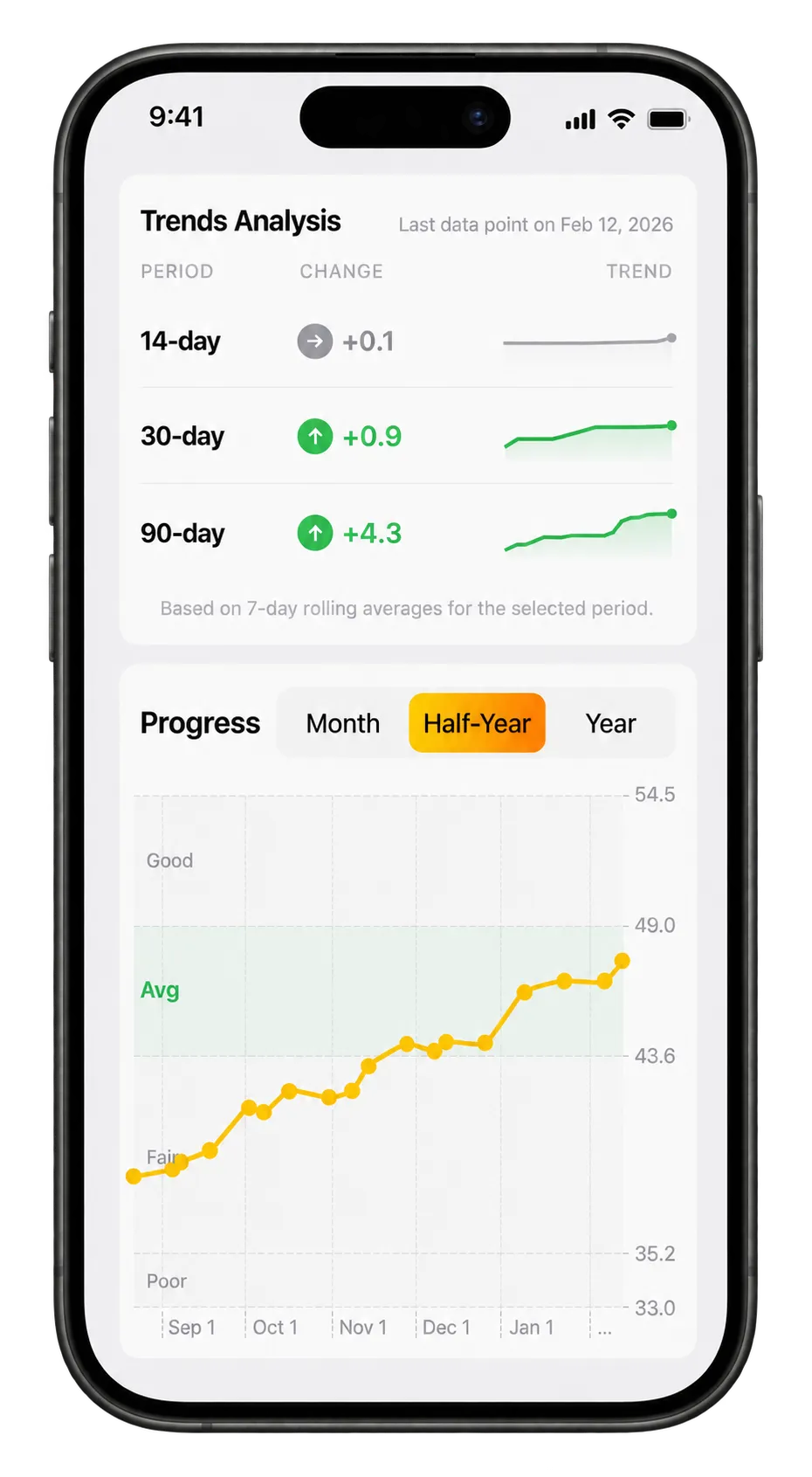 VO2 Max progression tracking directly in the iPhone app.
Can I run the test in cellular dead zones? Yes. The protocol runs entirely on the Watch and does not need a phone or network connection. Results sync to the Health app once you are back in range.
Is the Watch beep test the same protocol used in school physical education? Yes. The 20-meter shuttle protocol with starting speed 8.0 km/h and 0.5 km/h increments is the same one used in school PE, military selection, and sports science labs since the 1990s.
Tired of running the test against a phone speaker that cannot beat the gym noise? Vo2 Maximizer runs the validated 20-meter beep test on your Apple Watch with high-intensity haptic cues, scores your level and shuttle with the Ramsbottom formula automatically, and stores every result on a single trend line.
The Apple Watch heart rate data captured during a beep test is rich enough to estimate more than VO2 max. The beep test for lactate threshold piece covers the additional analysis some apps can do on top.